Host applications
Run your own services, such as photo storage, media servers, and monitoring tools.
HOMELAB / SELF-HOSTED / LEARNING
A small, always-on environment where I run useful services, experiment with infrastructure, and learn by troubleshooting the real thing.
START HERE
A homelab is a small setup of computers, servers, and networking equipment that you build at home to experiment with technology.
Think of it as your own mini data center. Instead of just reading about cloud computing, networking, and servers, you get to build and manage them yourself.
I started mine to get more hands-on experience, experiment with new technologies, and host applications I actually use.
Here's what mine looks like and what I've built with it.
WHY BUILD ONE?
A practical place to learn by making, testing, and fixing.
Run your own services, such as photo storage, media servers, and monitoring tools.
Run multiple virtual machines and containers on one physical computer.
Set up and troubleshoot networks, DNS, remote access, and connectivity.
Try new technologies, break things, troubleshoot problems, and learn how to fix them.
THE PHYSICAL SETUP
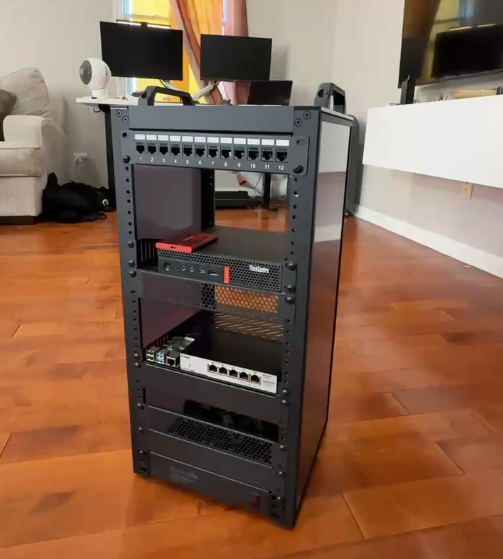
My setup started with a few pieces of used hardware and has grown into a small home network where I run servers, host applications, and experiment with new technologies.
THE BUILDING BLOCKS
Each piece has a simple job. Together they make a small environment for compute, storage, and connectivity.
My main Proxmox server, used to run containers and self-hosted applications.
6-core Intel i5 · 16 GB RAM · 256 GB SSDA small computer that runs several always-on services and automation projects.
128 GB microSD · always-on servicesConnect my servers and other wired devices together so they can communicate.
Managed and unmanaged switchesProvide connectivity for my home network and the devices that use it.
Netgear Nighthawk · mesh access pointsMY NETWORK
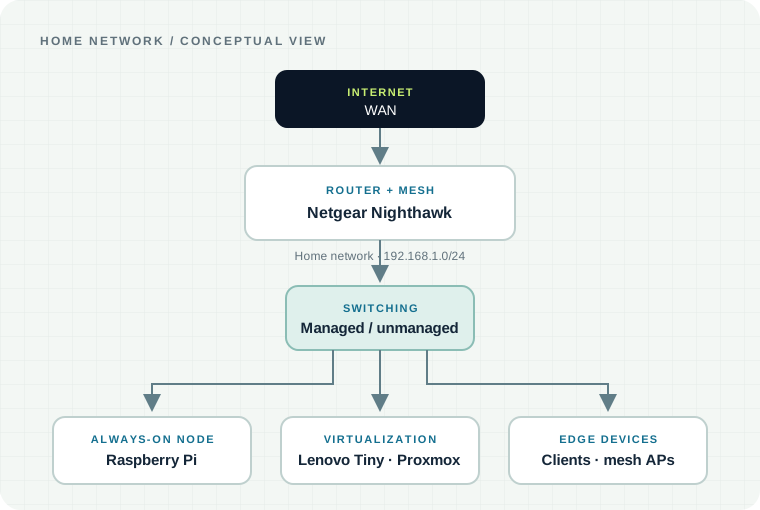
The diagram shows the verified high-level path from the internet to the router, switch, lab nodes, and connected devices. My home network is consolidated on 192.168.1.0/24.
ALWAYS-ON WORKLOADS
These services turn the hardware into something I use every day.
Virtual machines and containers on the Lenovo Tiny server.
Virtualization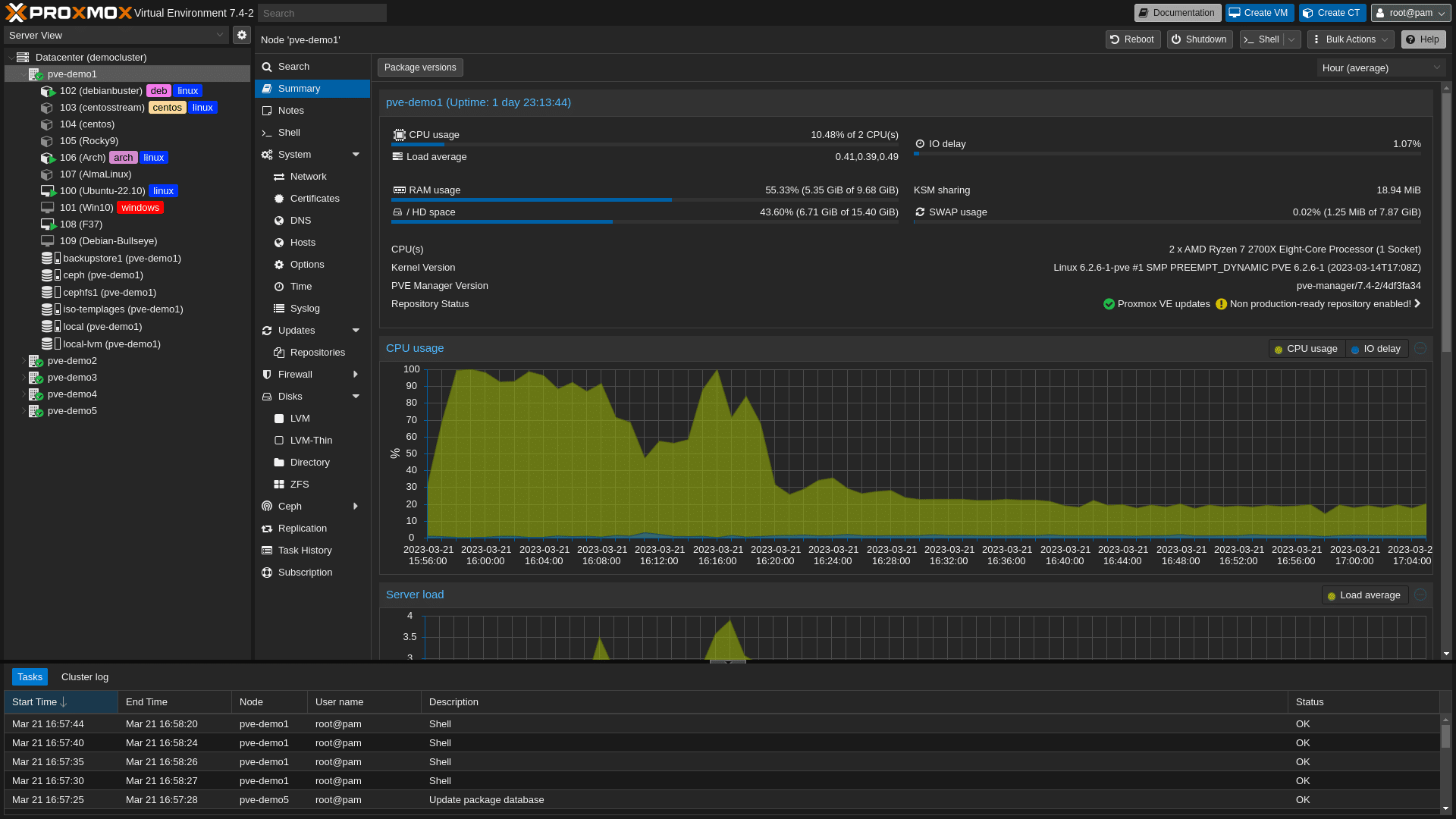 View screenshot ↗
Self-hosted photo and video management. I migrated about 255 GB of personal media into the Proxmox environment.
Storage · migrationA personal media server running in the lab, giving me hands-on practice with storage, Linux, and service networking.
Media · LinuxMonitors service availability and sends outage and recovery notifications through Discord.
Monitoring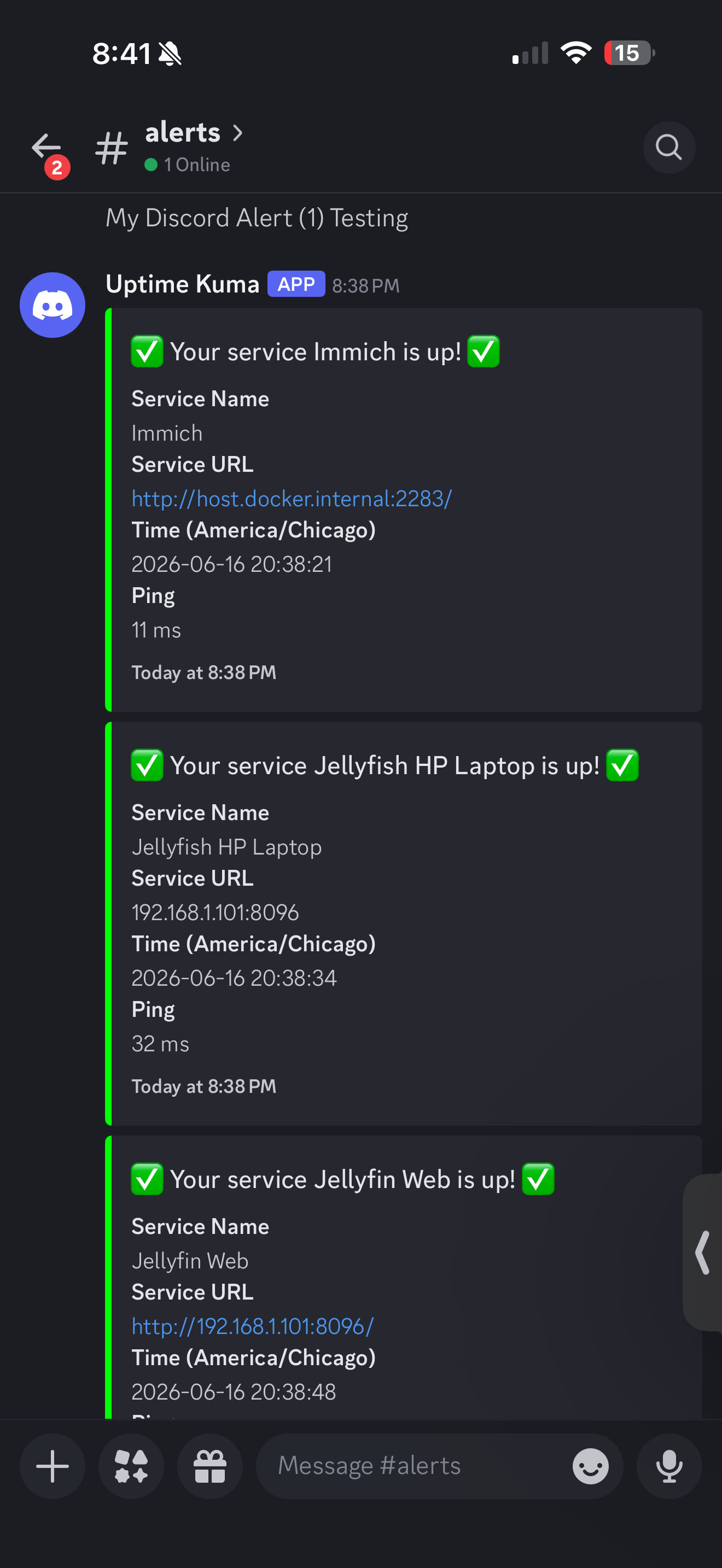 View alert ↗
Network-level DNS filtering used selectively for devices. I have experimented with DNS and DHCP settings.
DNS filteringA web interface I use to inspect and manage Docker workloads in the lab.
ContainersSecure remote connectivity into parts of the homelab without exposing each service publicly.
Remote accessPython and cron on the Raspberry Pi send a quote, an Immich video, and daily goals to Discord each morning.
Automation · Python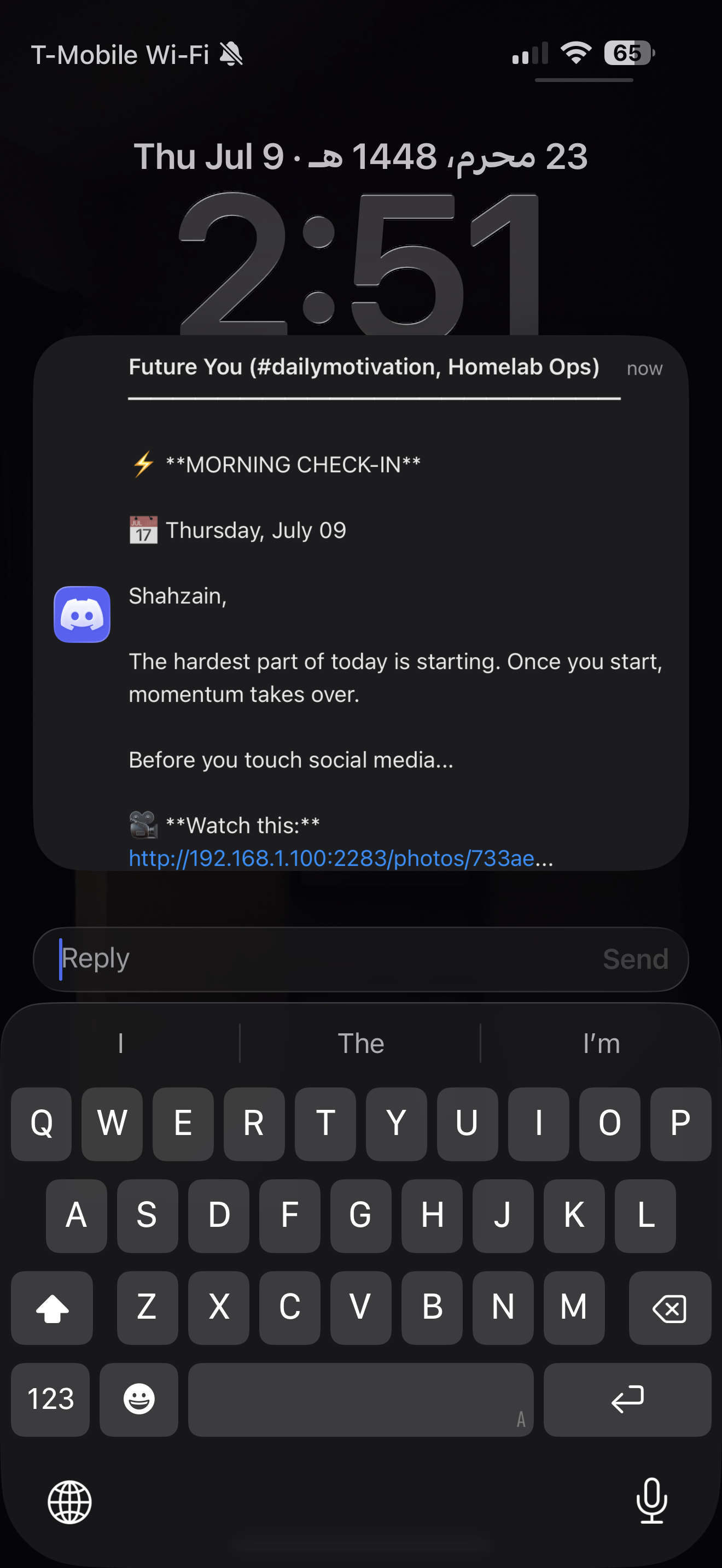 View message ↗
FEATURED HOMELAB PROJECTS
The lab is where I turn ideas into services I can use and troubleshoot.
A 255 GB media migration into self-hosted storage, with lessons in persistent volumes, Linux, and backup planning.
Read the project notes →AUTOMATIONAn always-on Raspberry Pi script that turns a saved media library into a useful daily Discord check-in.
See how it works →RELIABILITYUptime Kuma checks services and makes outages visible quickly through notifications.
Explore monitoring →THE TAKEAWAYS
KEEP EXPLORING
I'll add detailed service notes, screenshots, and network information as I document the setup.